
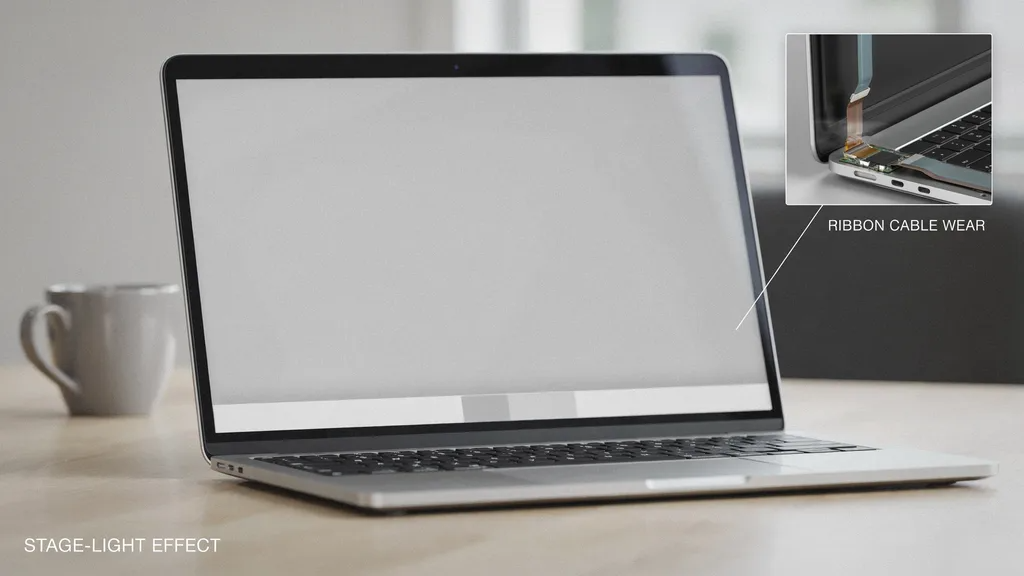
Have you ever opened your laptop and noticed a strange glow at the bottom of your screen? It can look a lot like little theatrical lights shining up. People call this problem the Mac Stage Light Effect. It is a very common hardware issue that pops up on certain notebook models after a few years of normal use. When you open and close your lid every day, tiny parts inside start to wear out. Knowing what causes this issue helps you figure out the best way to fix your computer display safely.
What Causes the Display Problem?
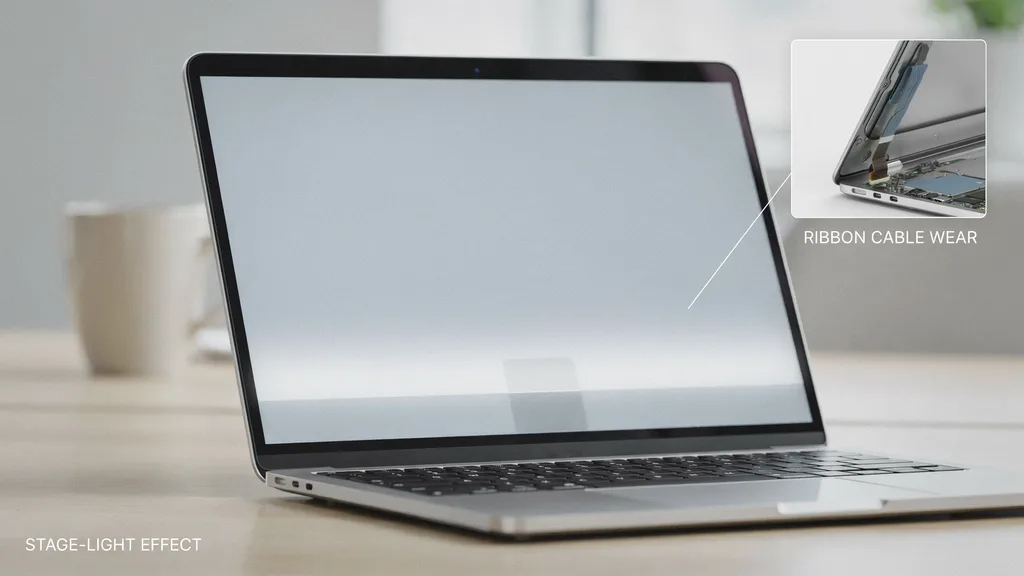
The main reason for this issue is a tiny part hidden deep inside your computer. Laptops use a very thin ribbon cable to connect the screen to the main board. Every single time you open your lid, that cable bends back and forth. Over time, the constant stress causes the cable to wear down or crack. When this happens, it cannot send power evenly to the backlight. Some spots get too bright while other areas stay dark, creating that strange spotlight look.
Common Signs and Symptoms
You might wonder how to spot this issue early. The most obvious sign is a row of bright spots along the very bottom edge of your screen. These bright patches often look like tiny footlights on a stage. Another common sign happens when you tilt your screen backward. If you open the lid past a certain angle, the entire backlight might suddenly turn completely black. You might also notice weird color tints or flickering lines when moving your display.
Which Computer Models Are Affected?
Not all laptops suffer from this specific display flaw. The issue became widely known in notebooks built between 2016 and 2018. During those years, manufacturers used very short and delicate cables that wore out much faster. Even some later models with smaller screens have shown similar symptoms after heavy use. If you own an older machine that you use every day for school or work, you have a higher chance of running into this screen trouble.
Can You Fix It with Software?
Many people hope they can download a quick patch to fix their display. Unfortunately, software updates cannot solve a physical hardware problem. Resetting your settings or changing your display preferences will not make the glowing spots go away. Because the root cause is a worn or broken cable, you have to look at physical repair options. Restarting your device or running diagnostics will only confirm that the internal parts need physical attention.
Why Screen Repair Is Tricky
Fixing this problem is not as simple as swapping out a single wire. In modern laptops, the display cable is tightly fused directly into the screen assembly. Because of this clever and compact design, technicians usually cannot replace just the cable. They often have to replace the entire screen unit to get rid of the uneven lighting. This makes the repair process a bit more involved and costly than people expect.
Temporary Workarounds to Try
If you cannot afford a brand-new screen right now, a few tricks might help. Some users find that keeping the laptop lid at a narrower angle stops the bright spots from showing up. You can also plug an external monitor into your computer and use that as your main display. Keeping the hinge area clean and free of dust may also prevent extra strain on the delicate internal components. These steps are only temporary, but they keep your device usable for a little longer.
When to See a Professional
Dealing with flickering screens and bright halos can be very frustrating. If your device is still covered under a store warranty or an active care plan, you should take it in right away. For older machines, visiting a trusted local repair shop is often your best bet. Independent technicians can inspect the hardware and give you an honest price quote. Getting professional help ensures your expensive electronics do not suffer any more accidental damage during a DIY fix.
Quick Comparison Table
| Feature | Description | Impact |
| Main Cause | Worn or stretched ribbon cable | Breaks power flow to screen backlight |
| Primary Symptom | Uneven bottom glow or bright spots | Looks like theatrical stage lighting |
| Best Solution | Professional display assembly replacement | Permanently restores normal screen brightness |
Tips to Prevent Future Display Wear
You can take a few simple steps to protect your screen over time. Always use both hands gently when opening or closing your laptop lid to keep the pressure balanced. Avoid pushing the screen backward beyond its natural stopping point. Keeping your workspace clean and storing your laptop safely in a padded sleeve also protects the hinge mechanism. Treating your gear with care goes a long way in preventing frustrating hardware failures.
Frequently Asked Questions
What is the main cause of the mac stage light effect?
The problem is caused by a worn or damaged internal ribbon cable that connects the display to the motherboard.
Can a software update fix the bright spots?
No, this is a physical hardware issue, so software updates or settings changes will not make it disappear.
Do I need to replace the whole screen?
Yes, because the display cable is fused into the screen assembly, technicians usually must replace the entire unit.
Will opening my laptop too wide cause this?
Opening your lid past its normal limit puts extra stress on the delicate cables and can speed up wear and tear.
Are newer models safe from this issue?
Manufacturers have adjusted cable designs in newer models, but physical wear can still happen after years of heavy daily use.
What should I do if my screen goes completely black?
Try reducing the lid angle or plug in an external monitor, then take your device to a certified repair technician.
Conclusion
Dealing with display issues can be a huge headache, but understanding the mac stage light effect makes it easier to handle. By knowing why those bright spots happen, you can choose the right repair path or use temporary workarounds. Take good care of your hinge, open your laptop gently, and seek professional help when things stop working right. Share your own thoughts or repair tips in the comments below!
One thought on “Understanding the Mac Stage Light Effect”